Make wireless connection possible on your Ethernet-only wired devices. With this WiFi to Ethernet adapter, you can connect your wired device to your WiFi network. It runs up to 867Mbps on 5GHz WiFi or 300Mbps on 2.4GHz WiFi, delivering a solid connection for online working, streaming, gaming, etc.
Adjust its 180° rotatable antennas to get optimal WiFi signal for your wired device.
No extra charger or charging cable is needed. Plug into a power outlet and it works after setup.
Works with any IEEE 802.11ax/ac/a/b/g/n WiFi routers or gateways.
Connect your router and the WiFi to Ethernet adapter by pressing the WPS button
Install it via WEB interface if your router does not support WPS. Also better manage it via WEB UI.
Protects your data and device safe by supporting WPA2-PSK, WPA-PSK and WPA2-PSK/WPA-PSK.
Set it up in the same room as your existing WiFi router. Press the WPS button on your router and the WPS LED status on the router should change. Then press the WPS button on this WiFi to Ethernet adapter within 2 minutes. Wait until the Signal LED light turns solid blue, which indicates a successful connection with your WiFi router.
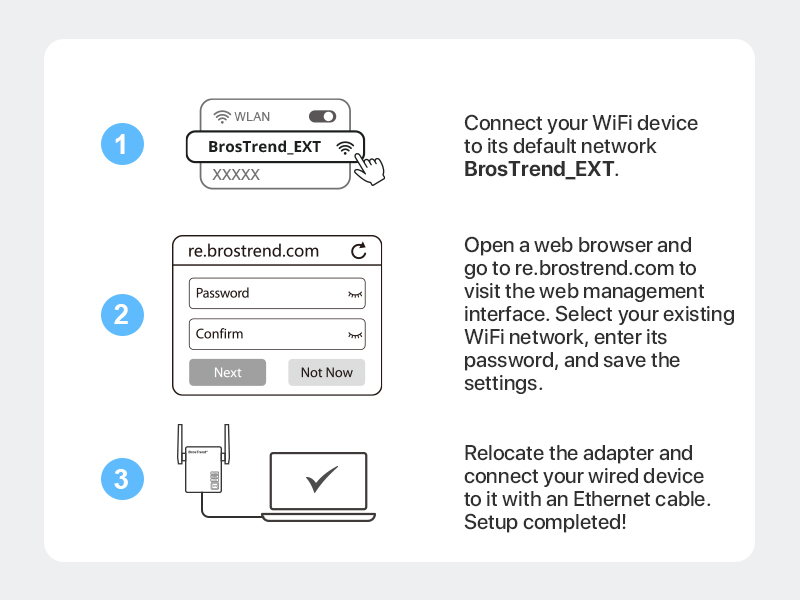
Place it in the same room as your existing WiFi router and power it on. Use a WiFi device to connect to the default WiFi network _EXT. Open a web browser and go to re..com to visit the web management interface.
In first log in, set up the administrator login password for future log in. Select your existing WiFi network, enter its password, and save the settings. Wait until the Signal LED light turns solid blue, which indicates a successful connection with your WiFi router.
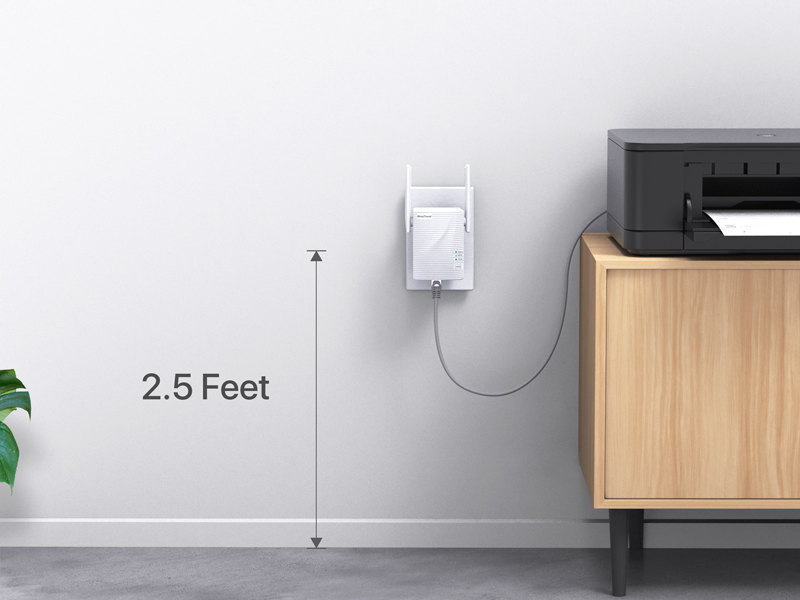
For receiving optimal WiFi signal from your WiFi router, we suggest relocating this WiFi to Ethernet adapter closer to your WiFi router. Also, please plug it into an electrical outlet which is 2.5 feet or more away from the floor.
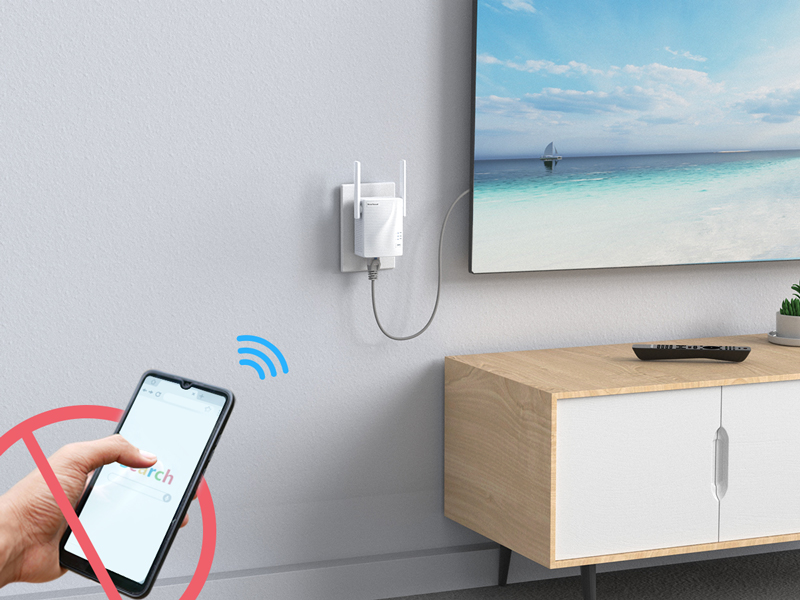
Connect ONLY your wired device to this device. Please do not connect other WiFi devices to the extended networks created by this WiFi to Ethernet adapter. Otherwise, the connection speed of your wired device will be lowered.


Product description
AC1200 WiFi to Ethernet Adapter
Works with Any Wired Devices
Installation Tips
WPS Setup Method
WEB Managament Setup Method
Positioning Your Adapter
Important Usage Note for Optimal Speed
Founded in 2011, dedicates itself to premium network products which deliver fast and reliable connections.
With more than 10 years of experience in the networking industry, never stops innovating and is ready to bring a smoother online experience for everyone.
Visit the Store
Visit the Store


From the brand


